From Drone Scan to Unreal Engine: How We Build Digital Twins
A drone flight can do more than take pictures. Fly a building or site the right way and the photographs can be rebuilt into a detailed 3D model. Bring that model into Unreal Engine and it becomes something else again: a digital twin you can light, animate and film like a movie set. This guide walks through how we take a real place from a drone capture to a finished Unreal Engine scene, what each step involves, and what the result is good for.
What we mean by a digital twin
“Digital twin” is used in many ways, from factory sensor dashboards to city-scale simulations. In our work it means something specific: a detailed 3D copy of a real building or site, built from drone photographs, and placed in a real-time 3D engine. The geometry and the surface textures come from the real place. Everything around it, such as the sky, the light, the time of day and the camera, is ours to control.
That is the key difference from a standard 3D model. A model shows the site as it looked when it was photographed. A digital twin in Unreal Engine can show it at sunset, at night, in fog, or from a camera path no drone could fly.
Why Unreal Engine
Unreal Engine is a real-time 3D platform from Epic Games. It started in video games and is now widely used in film and TV production, architecture and visualization. A few things make it a good home for drone-captured data:
- It handles heavy, detailed geometry. Scanned models are dense. Unreal Engine 5 includes technology designed to display very high-detail meshes efficiently, so less of the scan's detail has to be thrown away.
- Realistic, changeable lighting. The engine can light a scene dynamically, so moving the sun or switching to night changes the whole scene convincingly.
- Built-in cinematic tools. Camera moves, animation and high-quality offline rendering are part of the engine, so a scene can become a polished film without leaving it.
Step 1: The drone capture
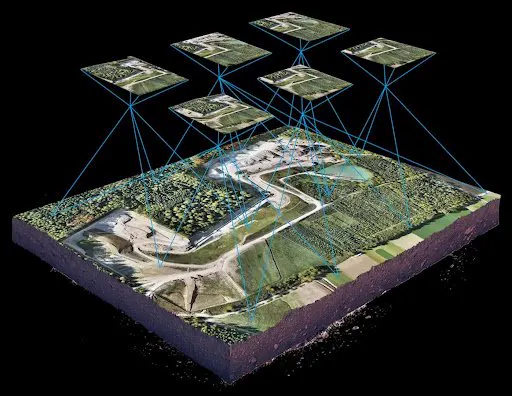
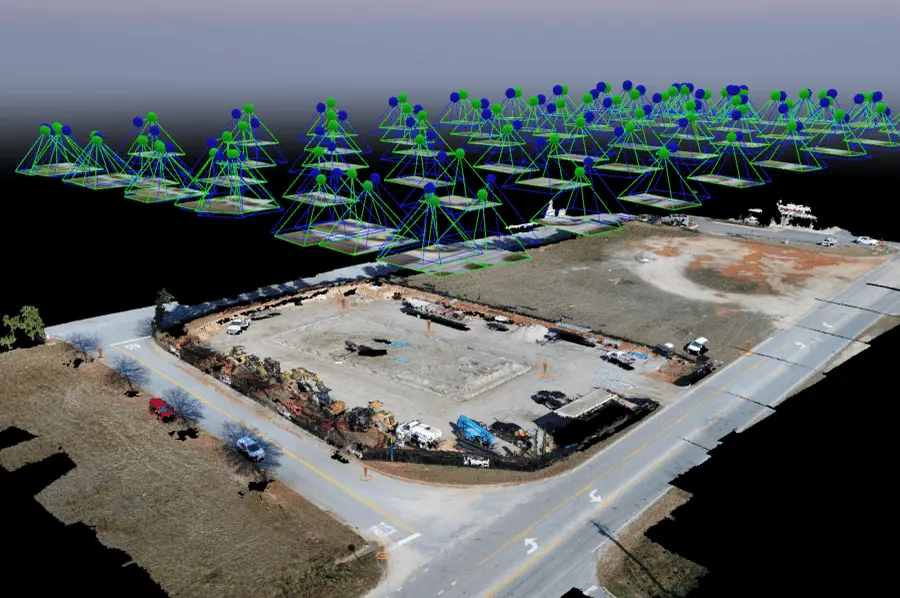
Everything depends on the capture. Photogrammetry, the method that turns photos into 3D, needs every surface to be seen from several angles with plenty of overlap between images. For a digital twin we usually combine:
- A grid flight looking straight down, which covers roofs and the ground and also produces an orthomosaic.
- Orbits and oblique passes at an angle around the building, which capture walls, overhangs and facades.
- Close detail passes where the scene will be seen up close in the final film.
Light matters too. Even, overcast light gives the cleanest textures, because hard shadows get “baked” into the photos and are hard to remove later. That is a big reason to choose the flight day carefully.
Step 2: Rebuilding the model
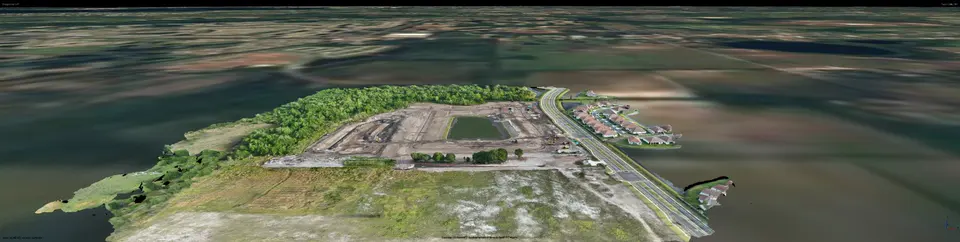
Photogrammetry software finds the same features across hundreds or thousands of overlapping photographs, works out where each camera was, and reconstructs the shape of the site. The photos are then projected back onto that shape as texture. The result is a textured 3D model that looks like the real place from any angle.
Step 3: Preparing the model for real time
A raw scan is not ready for a real-time engine. Preparation usually means:
- Trimming the edges of the capture and anything not needed in the scene.
- Cleaning up problem areas such as reflective glass, water, thin railings and moving cars, which photogrammetry struggles with.
- Splitting large captures into sections that the engine can load and manage efficiently.
- Checking scale and orientation so the model sits correctly in the scene and the sun can be placed realistically.
Step 4: Building the scene
Inside Unreal Engine, the captured model becomes the centerpiece of a scene. We add a sky and atmosphere, place the sun or night lighting, and set up materials for things the scan cannot capture well, such as water surfaces. Surroundings beyond the capture area can be filled in so the site does not float in empty space. This is where a digital twin stops looking like a scan and starts looking like a place.
Step 5: Films and renders
With the scene built, we plan camera moves just as we would plan a real drone shot, except the camera can now go anywhere. It can fly through a gap too narrow for a drone, hold perfectly still in mid-air, or repeat the same path at noon and at midnight. The engine then renders the shots at high quality, frame by frame, into a finished film and still images.
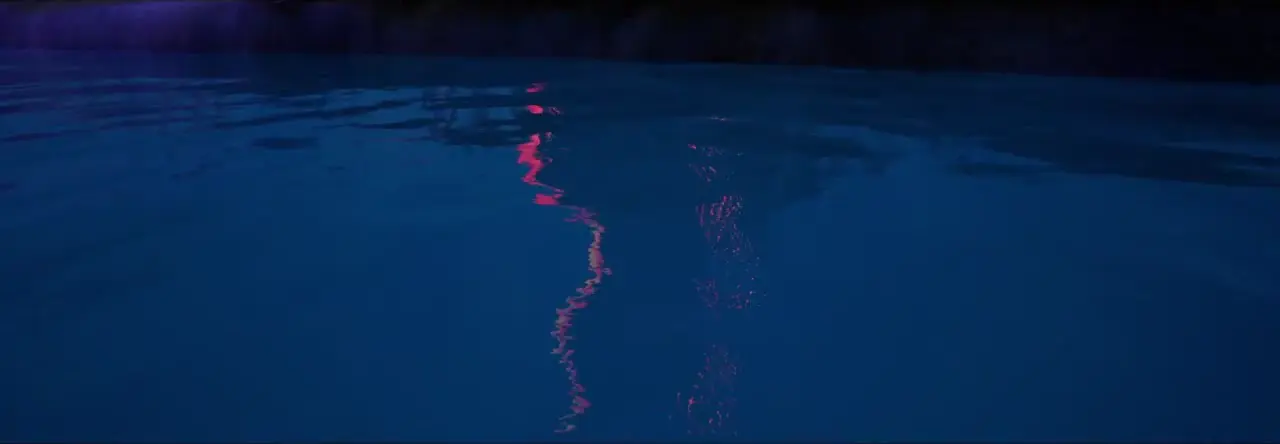
“Signal in the Night” is one example: a night scene with lights reflected on dark water, built as a digital twin and filmed entirely inside Unreal Engine. Watch “Signal in the Night” on YouTube.
What digital twins are good for
- Property and development marketing. Show a real building or site with a cinematic look and shots ordinary footage cannot get.
- Design context. Give architects and designers the existing site as a realistic backdrop for presentations.
- Before and after. Capture a site at different stages of a construction project and present them in the same scene.
- Records and storytelling. Keep a place as it is today in a form you can revisit, reuse and share.
What they are not
A digital twin built this way is a visual product. It is excellent for presentation, review and storytelling, but it is not a survey. We do not certify measurements from it, and anything that needs engineering-grade dimensions should be measured by a licensed professional. Some subjects are also hard to capture well, including large glass facades, open water and anything that moves during the flight.
Common questions
Do I need Unreal Engine to use the result?
No. Most people receive finished films and still images that play anywhere. The 3D model is also delivered in common file formats.
How large an area can be captured?
Anything from a single house to a large site. Bigger areas mean more flight time, more photos and more processing, so the scope is agreed up front.
Can an existing 3D model be used?
Often, yes, if the capture had enough overlap and coverage. We can review it and tell you honestly whether it will hold up in a cinematic scene.
Interested in a digital twin of your building or site in the Tampa Bay area? See our Unreal Engine digital twin service or get in touch to talk through your project.